


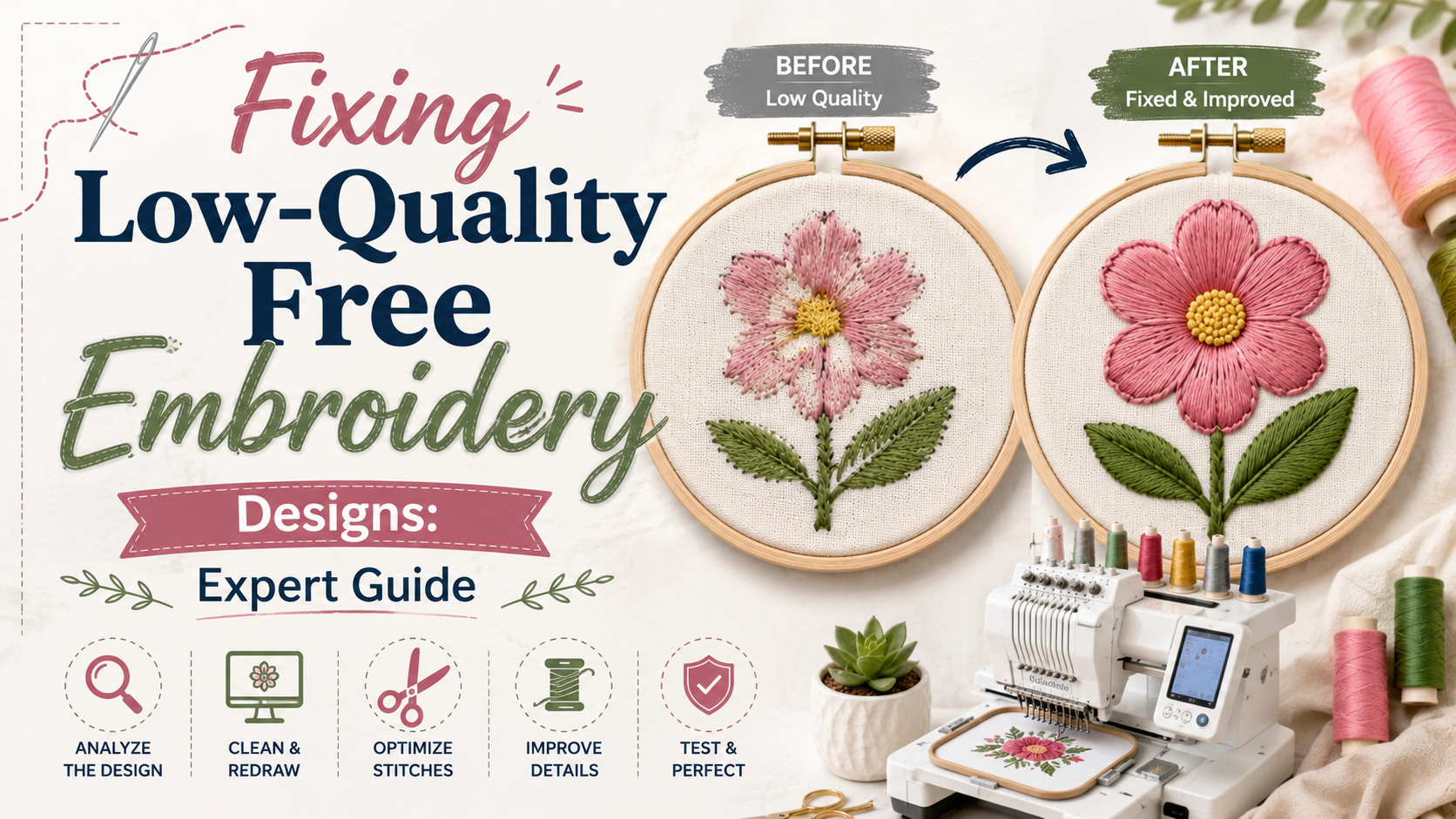
You found a great pattern online. You loaded it up, hit start, and watched your machine stitch away. But when it finished, something felt off. The stitches looked loose. The fabric had weird wrinkles. The design looked nothing like the preview. Sound familiar?
If you have ever used free embroidery designs for machine from a random website, you know this frustration all too well. Not every free embroidery designs for machine comes with professional-level digitizing behind it. Many of them are rushed, poorly tested, or just not built for real machine use.
The good news is that most of these problems are fixable. This guide walks you through everything, from spotting what went wrong to making your designs stitch out cleanly and beautifully.
Why Do Free Embroidery Designs Fail in the First Place?
Before you can fix something, you need to understand why it broke.
Free machine embroidery designs are often created by hobbyists, uploaded without testing, or pulled from outdated archives. The digitizer may not have checked the stitch density, set up proper underlay stitches, or tested the design on actual fabric. As a result, you end up with a file that looks fine on screen but falls apart the moment your needle hits the cloth.
Here are the most common reasons these designs disappoint:
Incorrect stitch density is the number one culprit behind failed embroidery. Too many stitches packed into one area cause thread breaks and fabric puckering. Too few stitches leave the fabric showing through the design. Neither result looks good.
Missing or weak underlay stitches are another major issue. Think of underlay as the foundation of your design. Without it, top stitches have nothing to grip. The fabric shifts, and the design loses its shape before it is even halfway done.
Poor pathing and excessive jump stitches waste thread, slow the machine, and leave messy thread tails all over your work. A well-built design flows smoothly from one section to the next.
Wrong file format or incompatible sizing also cause headaches. A design built for a 5x7 hoop does not automatically shrink down cleanly to fit a 4x4. And if the format does not match your machine brand, it may not load at all.
How to Spot a Low-Quality Embroidery Design Before You Stitch It
You can actually catch many problems before you even load the file. Here is what to look for when you download free embroidery designs.
A good design will tell you the stitch count, recommended hoop size, number of color changes, and supported formats. If none of that information is listed, that is a red flag right away.
Open the design in your embroidery software and zoom in. Look at the stitch paths. Do the lines flow smoothly from one section to the next, or do they jump around erratically? Are there areas that look extremely dense or suspiciously bare?
Also check the underlay. In your software, turn off the top stitches and see what is underneath. A quality design will have a clear layer of underlay supporting every major fill or satin section. If you see nothing underneath, expect problems on the hoop.
Step-by-Step: How to Fix Low-Quality Free Embroidery Designs
Step 1: Run a Test Stitch First
Always do a test run before stitching on your real project. Use a scrap piece of fabric that closely matches your final material in weight and stretch. A test stitch-out is the single most powerful tool you have for catching and fixing problems before they ruin something you care about.
Watch the machine as it stitches. Listen for the needle punching too hard or catching on dense areas. Look for puckering as fill sections build up. Note exactly where things go wrong so you know what to fix.
Step 2: Fix Stitch Density Issues
If your test shows puckering or fabric bunching up, stitch density is almost certainly the cause. Open the design in your free embroidery design software and look for the density settings in the fill or satin sections.
For light fabrics like cotton quilting fabric or linen, you want a lower density. For heavier materials like denim or canvas, you can push density a little higher. As a general rule, if your design feels stiff and board-like after stitching, the density is too high.
One smart trick for overly dense designs is to enlarge the design slightly in software with the stitch processor turned off, then shrink it back to the original size with the processor turned back on. This spreads the stitches out without you having to redigitize anything. Just remember not to resize more than 20% in either direction or you will create new problems.
LSI tip: For large fill areas, switching from satin stitches to tatami fill stitches reduces density and makes the design sit more comfortably on the fabric.
Step 3: Add or Correct Underlay Stitches
This is where many embroidery designs free download files fail hardest. Underlay is not optional. It is what holds everything together.
For satin columns and borders, an edge run underlay works well. It runs just inside the shape and gives the top satin stitches a rail to anchor to. For wide fill areas, a zigzag or double zigzag underlay mats down the fabric nap so the top stitches sit smooth and lofty.
If your software allows you to edit the design at the object level, go into each section and add the appropriate underlay type. If you cannot edit the design that deeply, consider re-downloading it from a more reputable source or having it professionally redigitized.
Step 4: Correct the Stitch Sequence and Pathing
Excessive jump stitches are a sign of poor pathing. In a well-built design, objects of the same color connect smoothly without the machine trimming and jumping all over the place. If your design is stopping and starting constantly, the pathing needs work.
In your editing software, look at the order in which objects stitch out. Objects of the same color should stitch together before moving on. Trimming should only happen when necessary, not between every single element. If you can edit the stitch sequence, reorder objects to reduce unnecessary jumps.
Step 5: Fix Misaligned Outlines and Registration Errors
You may notice that outlines do not quite line up with fill areas. This is a registration error, and it usually comes from one of three things: not enough underlay, incorrect pull compensation, or a bad stitch sequence.
Pull compensation accounts for the fact that thread tension naturally pulls fabric inward as it stitches. Without proper compensation built into the design, fills shrink slightly and outlines no longer meet them cleanly. If your software lets you adjust pull compensation, increase it slightly on the fill sections and test again.
Always stitch outlines after fills, not before. This is a professional technique that dramatically improves registration.
Step 6: Choose the Right Stabilizer for the Job
Even a perfectly digitized design can go wrong if you use the wrong stabilizer. Stabilizers are, as many experienced embroiderers say, the unsung heroes of the whole process.
For stable woven fabrics, a medium tear-away works great. For stretchy knits, always use a cutaway stabilizer since the fabric needs ongoing support even after the hoop comes off. For sheer or delicate materials, a water-soluble topping on top of the fabric helps prevent stitches from sinking into the weave.
Match the stabilizer weight to the fabric weight. A heavy design on a lightweight stabilizer will always pucker. Do not guess on this one.
Step 7: Check Your Needle and Thread
Sometimes the design is fine and the problem is your setup. Low-quality thread causes more thread breaks than almost any other single factor. Use a quality 40-weight polyester or rayon thread for most projects. Metallic threads are beautiful but need a lower density and a special needle.
For general embroidery work, a 75/11 embroidery needle is a solid choice. Fine detail work or small text calls for a 65/9 needle. If you are stitching on knits, use a ballpoint needle to prevent snags. Replace your needle after every large project or sooner if you start hearing it thud into the fabric instead of sliding through cleanly.
How to Evaluate Free Embroidery Design Sources
Not all free design sites are equal. Some platforms take quality seriously and test every file before publishing. Others are just repositories of uploaded files with no quality control at all.
When you look for embroidery designs free download options, favor platforms that tell you exactly which machine formats are included, show the stitch count and color count, and have community reviews or ratings you can read. Look for sites that offer designs in multiple formats like DST, PES, JEF, and HUS so you can match your specific machine.
Free hand embroidery designs and hand embroidery designs free download PDF patterns are a separate category. These are typically printed templates you trace onto fabric and stitch by hand. They do not go through your machine and are not subject to the same digitizing quality issues. These are usually safer to use as-is.
For machine embroidery designs free files, test before you trust. The few extra minutes you spend on a test stitch-out will save you a lot of heartache down the road.
When to Use Free Embroidery Design Software to Fix Designs
There are some great free embroidery design software options that let you edit designs at a basic level without spending money. Programs like Ink/Stitch work inside Inkscape and give you surprising control over stitch paths and settings. Brother's PE-Design has a trial version. Embrilliance offers a lightweight free viewer that also includes a density repair kit add-on.
With these tools, you can often reduce density, change stitch directions, or clean up pathing on embroidery designs downloads free files without needing to redigitize from scratch.
For deeper edits, such as rebuilding underlay from the ground up or correcting complex pull compensation issues, you may need a more powerful program like Wilcom EmbroideryStudio or Hatch Embroidery. These are paid options, but they give you full control over every stitch in the design.
Fixing Small Text in Free Embroidery Designs
Small text is one of the trickiest things to get right in free designs for embroidery. Letters smaller than 5 to 6mm tall almost always look messy when stitched. Satin stitch columns become too narrow to look clean, and details close up or blur together.
The fix for most small text problems is to switch from satin stitches to running stitches for letters under about 5mm. Running stitches are thinner and more precise at small sizes. Also, remove any underlay from very small text since additional layers just add clutter at that scale.
If the font in the design is overly decorative or uses very thin strokes, simplify it or replace it with a bolder typeface that holds up at small sizes. Keep letters at least 6 to 8mm tall whenever possible for clean, readable results.
Fixing Designs That Do Not Fit Your Hoop
One of the most frustrating issues with download free embroidery designs files is that they were built for a hoop size you do not have. Resizing sounds simple but it comes with real risks.
Never resize a design by more than 20% in either direction. Going beyond that changes the stitch density dramatically. Shrinking a large design by 50% packs the stitches so tight the needle can barely punch through. Enlarging a small design by the same amount spreads stitches so far apart the coverage disappears.
If you need to resize more than 20%, look for a version of the design that was specifically built for your hoop size. Many quality sites that offer embroidery designs for free provide the same pattern in multiple hoop sizes for exactly this reason.
If resizing is unavoidable, use the resize function in your software with stitch recalculation enabled. This rebuilds the stitch count to match the new size rather than just stretching or compressing the original stitches.
How Zdigitizing Helps Embroiderers Get Better Results
Sometimes a design is so poorly built that fixing it takes more work than starting fresh. This is where a professional digitizing service saves you real time and real frustration.
Zdigitizing has been helping embroiderers across the world get flawless results from their machines. Whether you need a free design redigitized from scratch or a custom logo converted into a clean, test-ready embroidery file, the team at Zdigitizing brings the technical skill and real-world embroidery experience to make it work right on the first run. Their work covers everything from left chest logos and caps to complex jacket backs and patches, all delivered in the format your machine needs.
Tips for Getting the Most Out of Free Embroidery Designs
Here are a few habits that will save you time and thread whenever you download machine embroidery designs free:
Always save a backup of the original file before you edit anything. That way, if a change makes things worse, you can go back to square one.
Stitch on the same fabric type as your final project during testing. A design that works perfectly on cotton may behave completely differently on a stretchy polo or a performance fabric shirt.
Clean your machine regularly. Lint buildup around the bobbin case is a surprising cause of thread breaks and tension problems that have nothing to do with the design file itself.
Keep your needle fresh. A dull needle does not just cause skipped stitches. It drags on the thread and can change how tension behaves throughout the design.
Document what works. When you find settings that produce clean results on a particular fabric, write them down. Build your own reference library of what density, stabilizer, and needle combinations work well for different projects.
Final Thoughts
Free embroidery designs are a wonderful resource. They open up creativity, save money, and give both beginners and experienced stitchers a huge library of patterns to work with. But not all of them are built to the same standard, and knowing how to spot and fix the common problems makes all the difference.
The issues covered in this guide, from high stitch density and missing underlay to registration errors and small text problems, all have solutions that are within reach once you understand what causes them. Take your time with test stitches, trust your eyes and ears during the stitch-out, and do not be afraid to make adjustments.
When a design is just too far gone to fix on your own, remember that professional help is only a quick message away. A well-digitized file is not a luxury. It is the foundation of every great piece of embroidery you will ever make.
Frequently Asked Questions
Q1: Why do free embroidery designs cause so much puckering?
Puckering almost always comes from excessive stitch density or the wrong stabilizer for the fabric. Try reducing the density in your editing software and switching to a heavier stabilizer, especially on lightweight or stretchy materials. A test stitch on scrap fabric first will help you find the right combination.
Q2: Can I fix a free embroidery design without special software?
You can fix some problems, like resizing within 20% and checking format compatibility, without advanced software. But for deeper fixes like adjusting underlay, correcting stitch density, or editing pathing, you will need an embroidery editing program. Several free or low-cost options are available that handle basic edits well.
Q3: How do I know if a free embroidery design is good quality before downloading it?
Look for designs that list the stitch count, hoop size, format options, and number of color changes. User reviews and ratings are also a good sign that the design has been tested in the real world. Avoid files with no technical information listed at all.
Q4: What is the best stabilizer to use with free machine embroidery designs?
The right stabilizer depends on your fabric. Use a medium tear-away for stable woven fabrics, a cutaway for knits and stretchy materials, and a water-soluble topping for fabrics where stitches sink into the texture. Matching stabilizer weight to fabric weight is the most important rule to follow.
Q5: Is it worth redigitizing a low-quality free embroidery design professionally?
Yes, especially for designs you plan to use many times or stitch on valuable garments. A professionally digitized file will stitch cleanly the first time, save thread, reduce machine wear, and give you a result you are actually proud of. The cost of redigitizing is almost always less than the cost of ruined fabric and wasted time.

 English
 Arabic
 French
 Spanish
 Portuguese
 Deutsch
 Dutch
Dutch
 Italiano
 Russian
 Romaian
 Portuguese (Brazil)
 Tiếng Việt